Hands-on testing · September 2026
Best LinkedIn Profile Viewer Tools in 2026: 7 Viewers Tested
We put seven free LinkedIn profile viewers through real public-profile lookups. Two worked well, two had meaningful limitations, two failed or stopped proper testing, and one repeatedly redirected away from its own tool.
Searching for a “LinkedIn profile viewer” produces an uneven group of tools making nearly identical promises. The real experience ranged from an excellent mobile-friendly profile page to error dialogs, a weekly quota, and redirects that prevented us from using the advertised product.
This is a hands-on review rather than a directory assembled from homepages. We entered real public-profile URLs and recorded what each tool returned. LinkedViewer is our product. We therefore review it separately and give the top independent recommendation to the strongest third-party result observed.
How we tested
The latest test was performed on September 16, 2026. We used public LinkedIn URLs, including linkedin.com/in/sundarpichai/, and evaluated the journey from input through result. We did not provide LinkedIn credentials or a signed-in browser session.
Each viewer was assessed on six questions: did the lookup complete; which useful identity and career fields appeared; was a profile photo included; was the result readable; could a visitor test it without signup; and did the site request risky access or trigger unrelated redirects?
These results are a dated snapshot, not a guarantee. Coverage can vary by profile, location, provider, and time. “Worked” means it worked in our session. “Failed” means the tested lookup failed, not that every possible profile will fail.
Quick comparison
| Rank | Viewer | Result | Photo | No signup | Verdict |
|---|---|---|---|---|---|
| 1 | SocialFetch | Worked | Best independent viewer tested | ||
| 2 | Bernardo's LinkedIn Viewer | Worked | Best simple, data-first option | ||
| 3 | ScrapeCreators | Mixed | Polished, but failed on a test profile | ||
| 4 | OutX | Worked | Returned text data but no photo | ||
| 5 | SocialPlug | Failed | Repeated invalid-data errors | ||
| 6 | NinjaPear / Nubela | Limited | Not verified | One free lookup per week | |
| 7 | LinkedProfileViewer.com | Avoid | Not verified | Not verified | Redirected away from its tool |
The ranking reflects observed usefulness, not traffic or company size. LinkedViewer is excluded because ranking our own tool would weaken the comparison.
Seven LinkedIn profile viewers reviewed
1. SocialFetch: best independent viewer tested
Verdict: Usable and our top third-party recommendation.
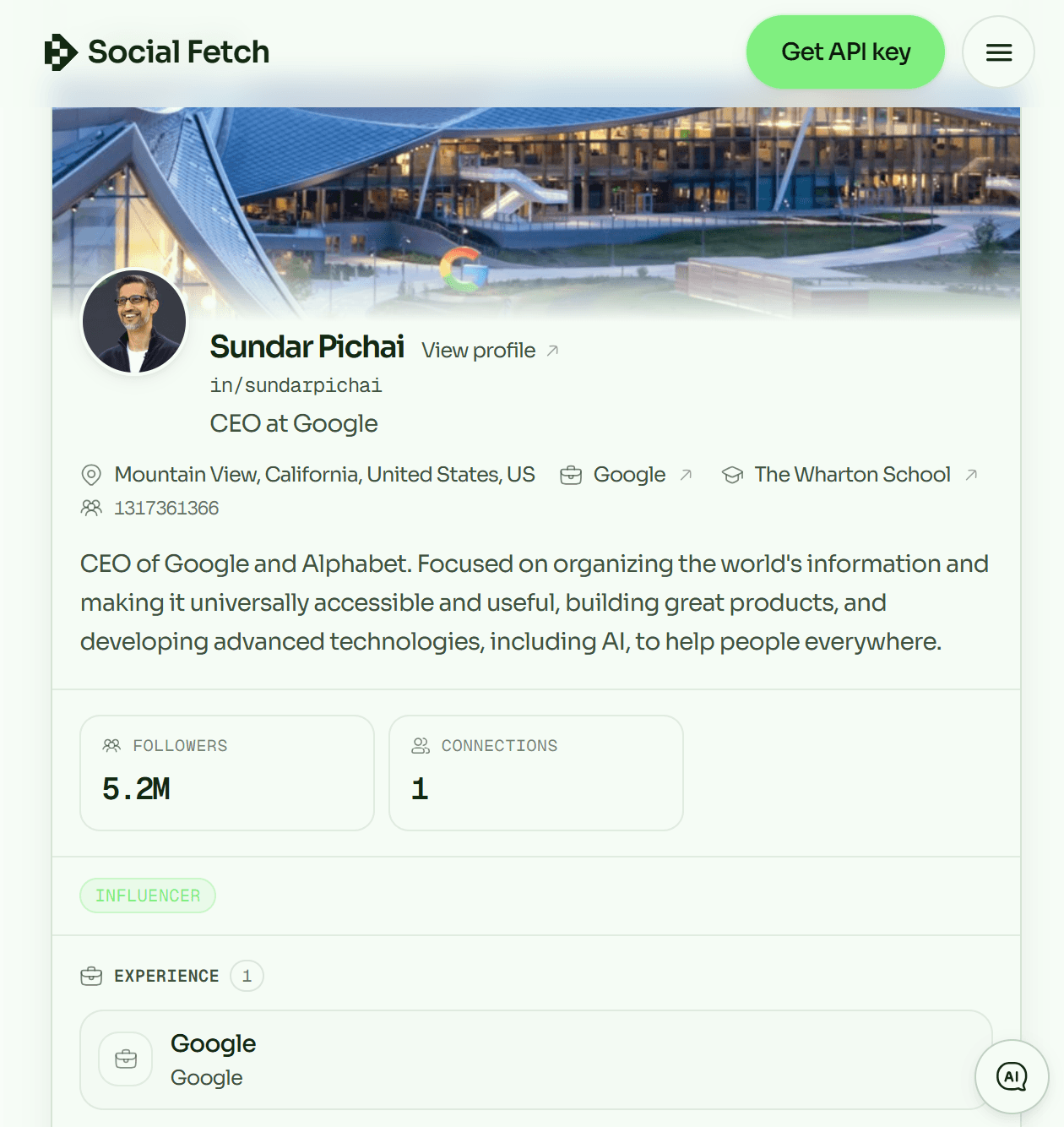
SocialFetch delivered the strongest combination of function and presentation. Its Sundar Pichai result looked like a finished public profile: cover image, headshot, name, handle, headline, location, organization, education, follower count, summary, and experience were easy to scan.
That visual quality matters. Visitors often need to confirm they found the right person, and a headshot, employer, and location provide a faster identity check than text alone. SocialFetch avoided the raw-dashboard feel common among free utilities. A successful test does not prove universal coverage, and displayed counts were not independently verified, but it earned the strongest independent verdict we can support.
Best for: complete-looking results and a modern interface.
2. Bernardo's LinkedIn Viewer: simple and effective
Verdict: Usable and the best no-frills alternative.
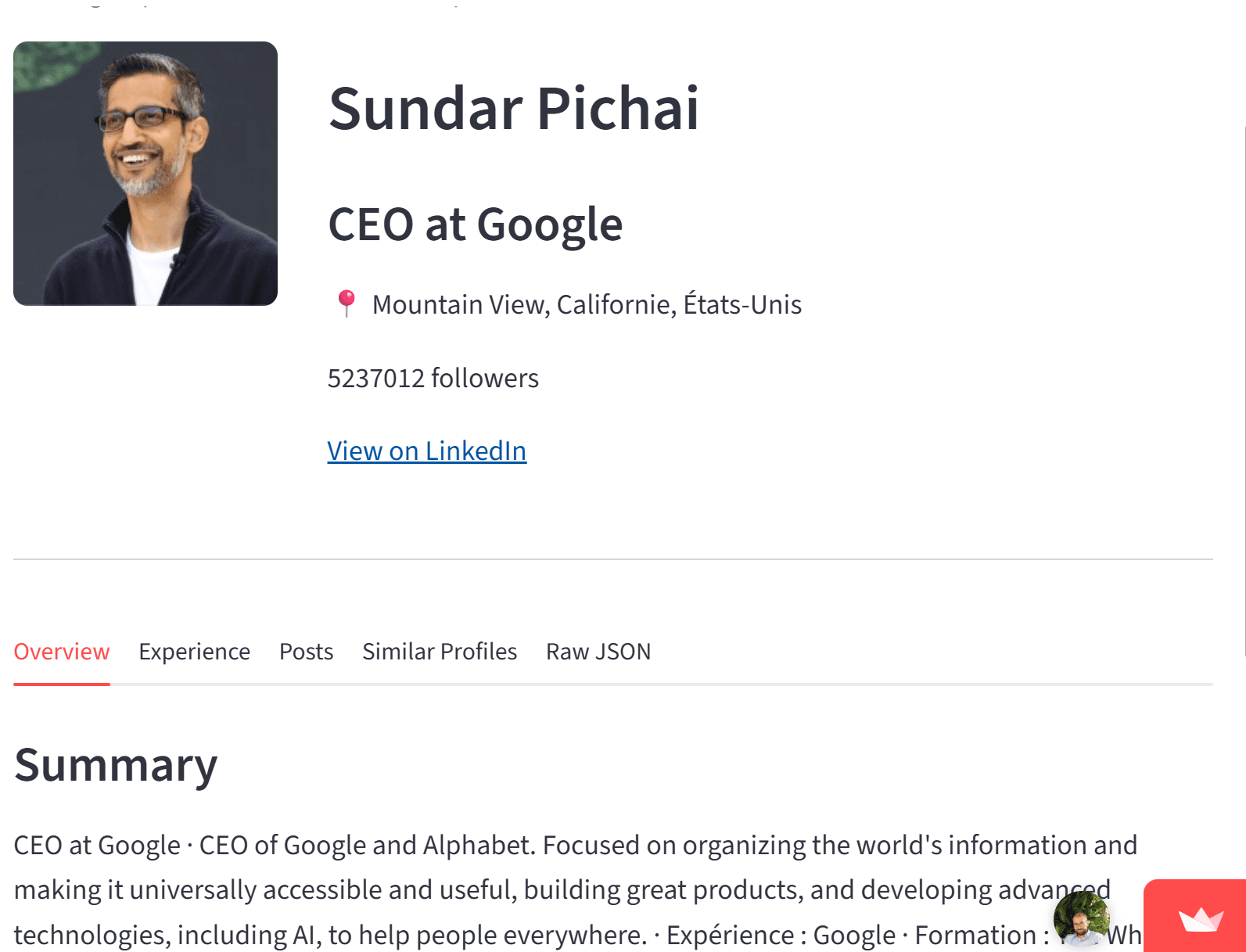
This Streamlit viewer takes the opposite approach. Its interface is minimal and dated, but it returned a useful profile with photo, name, headline, location, follower count, summary, and tabs for experience, posts, similar profiles, and raw JSON.
The raw JSON view is particularly useful for technical visitors who care more about fields than presentation. It also shows why visual polish should not dominate a functionality review: Bernardo's looked less refined than ScrapeCreators but completed the lookup that mattered. Spacing and typography feel like an internal data app, yet none of that prevented effective use.
Best for: technical users and visitors who prioritize available fields.
3. ScrapeCreators: polished but inconsistent
Verdict: Usable on some profiles, but unreliable in our test set.
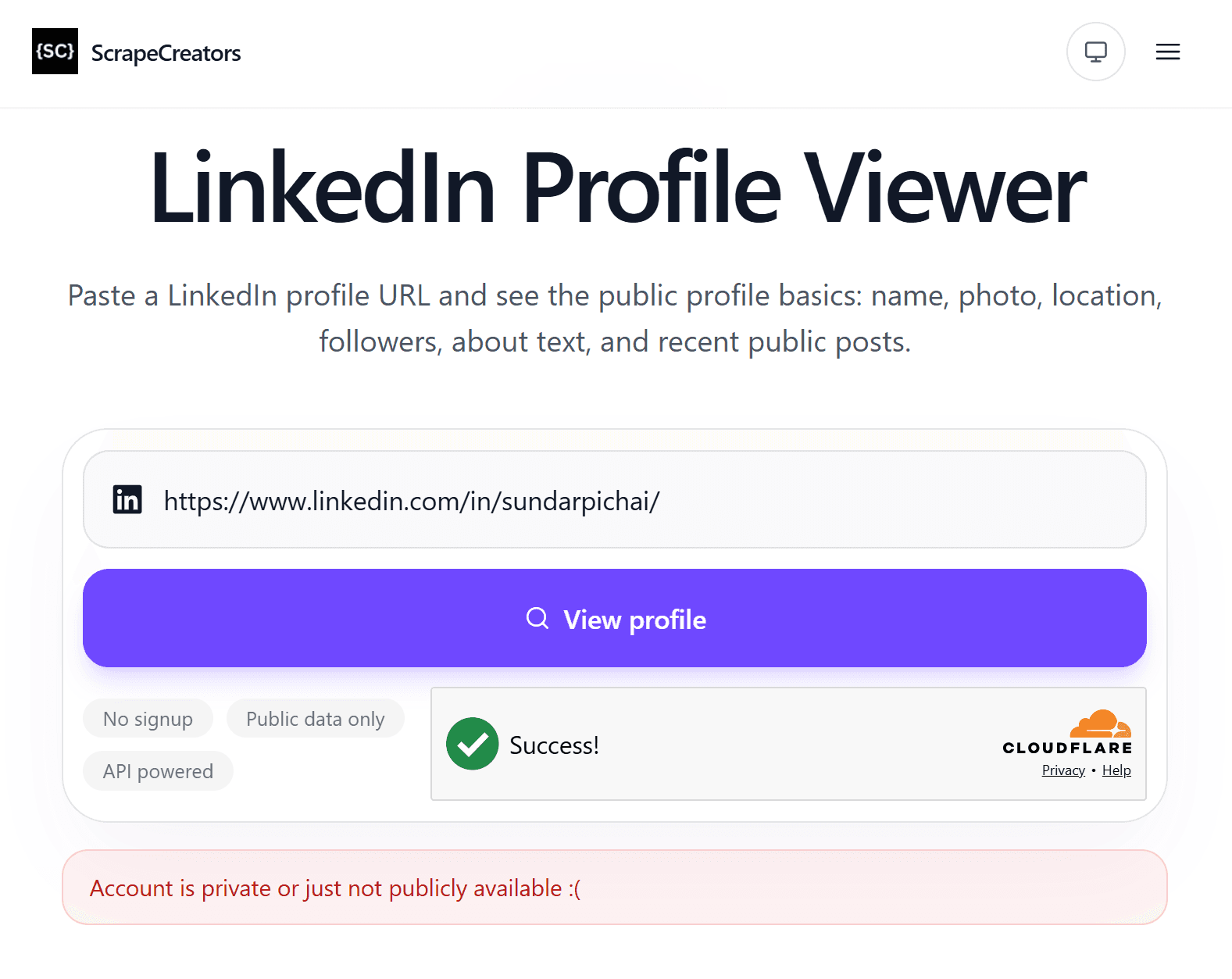
ScrapeCreators makes an excellent first impression with a focused input, clear “no signup” and “public data only” labels, and a polished layout. Cloudflare Turnstile adds friction but is understandable as an abuse-control measure.
After submission, the tool worked on some profiles but returned “Account is private or just not publicly available” for Sundar Pichai's public URL. That may reflect coverage, a temporary provider failure, or availability logic; we cannot diagnose its backend from outside. The visitor-facing fact is that no result appeared. Keep an alternative open rather than treating this error as proof that the underlying profile is private.
Best for: trying a polished viewer when a fallback is available.
4. OutX: useful text, missing profile photos
Verdict: Usable, but weak for visual identity checks.
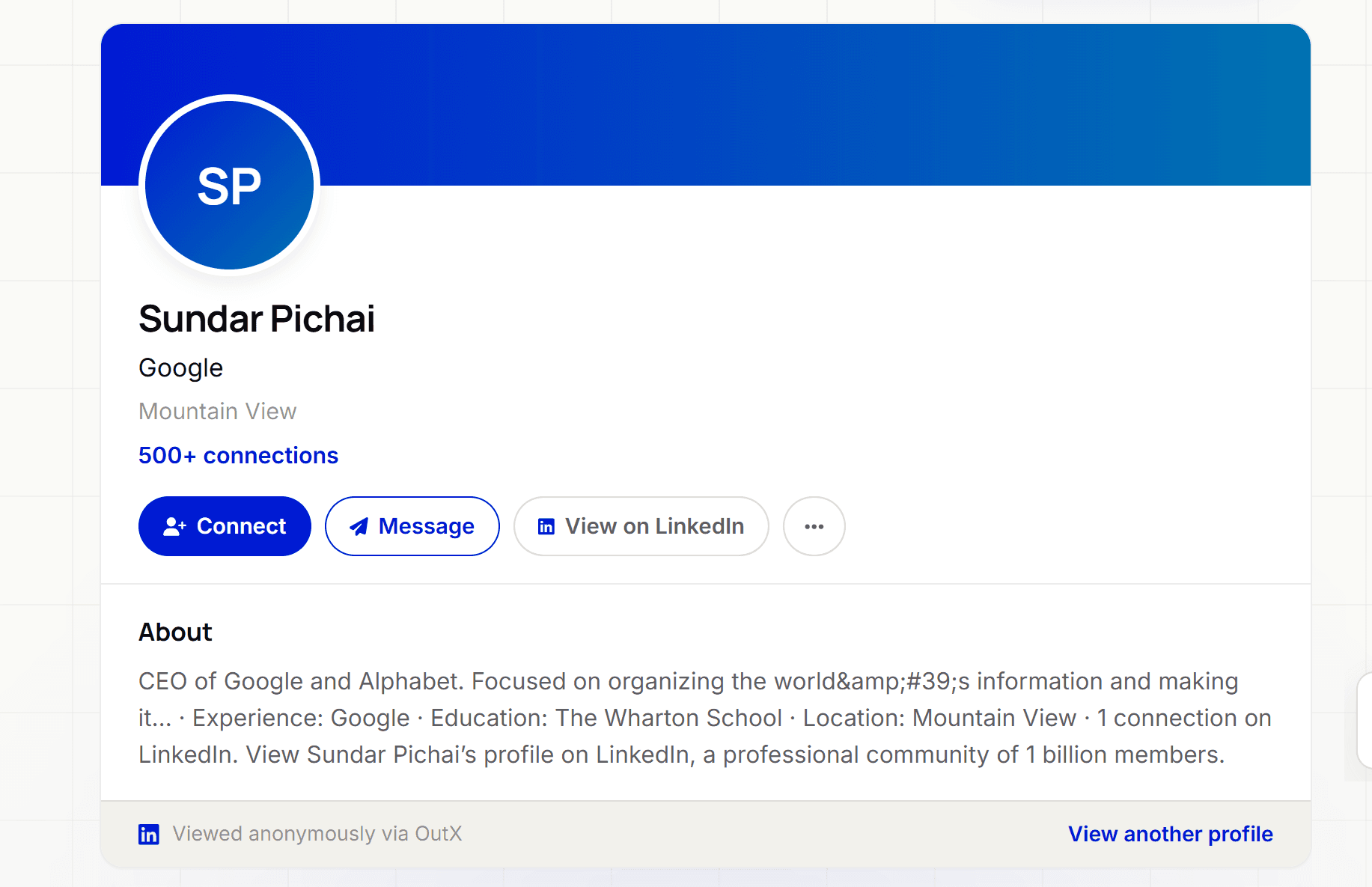
OutX fetched useful information and rendered a LinkedIn-inspired card with name, company, location, connection count, and about text. The main drawback was the missing profile picture: it substituted an “SP” monogram even though other viewers displayed the public headshot.
This is not merely cosmetic. Photos distinguish people with similar names and are often what users specifically want to inspect. OutX works better as a text summary than a complete profile viewer. Its captured summary also exposed an encoded apostrophe, suggesting presentation cleanup could be stronger.
Best for: headline, company, location, and summary checks where photos are unimportant.
5. SocialPlug: repeated invalid-data errors
Verdict: Unusable in our latest test.
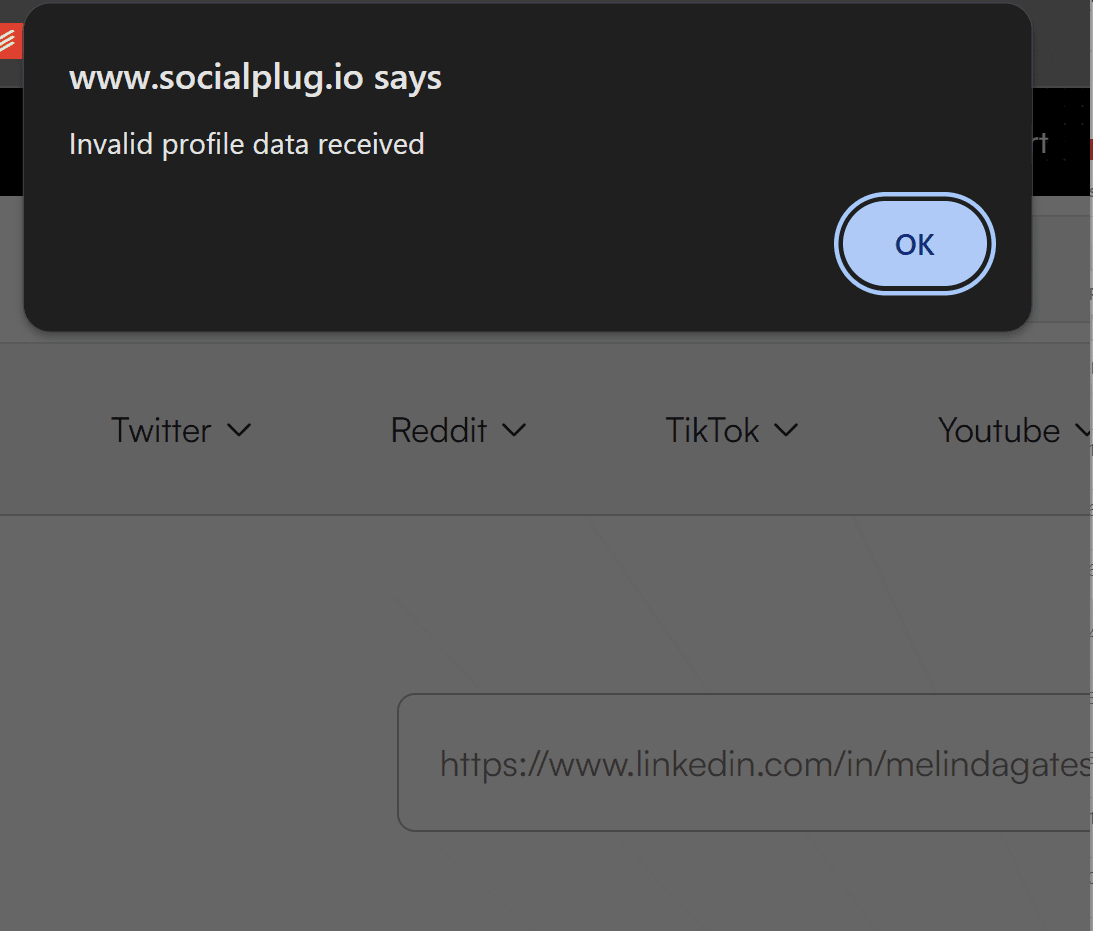
SocialPlug repeatedly displayed “Invalid profile data received” during our lookups, and we never reached a usable result. The message could indicate response handling or a provider issue, but we did not inspect its backend and will not claim a cause.
A good failure state should distinguish an invalid URL, unavailable profile, exhausted quota, and temporary service problem. This message gave no practical next step. Until a repeat test completes successfully, we cannot recommend SocialPlug for a time-sensitive lookup.
6. NinjaPear / Nubela: too limited to test properly
Verdict: Constrained by its free limit and signup wall.
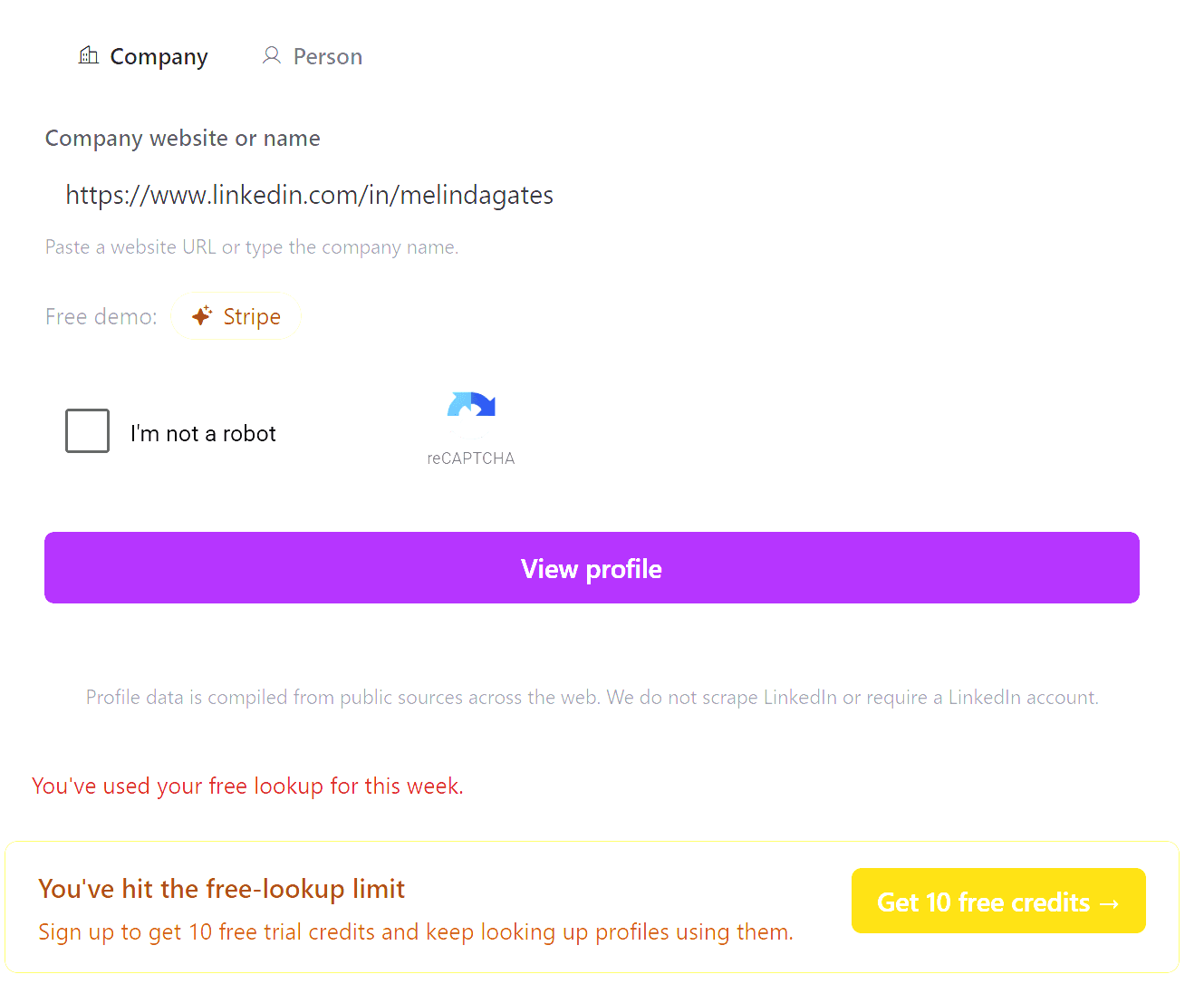
NinjaPear allowed one free lookup for the week and then directed us to sign up for trial credits. Its form also used a CAPTCHA and initially presented company/person modes. A limited demo may suit a commercial data service, but it is a poor match for visitors seeking a free profile viewer.
The restriction prevented a fair multi-profile reliability test, so photo support and broader consistency are marked “not verified” rather than guessed from marketing claims. Unable to test is not the same as broken, but it still reduces practical value.
7. LinkedProfileViewer.com: redirect-heavy and not safely testable
Verdict: Avoid based on our September 16 test.
We intentionally do not link this domain. Opening it sent us to unrelated advertising pages, extension promotions, or other destinations rather than a stable viewer; some flows also frustrated normal back navigation. We could not complete a legitimate lookup.
We did not download or analyze the advertised software, so we will not label a payload as malware without evidence. The observed behavior is warning enough: unexpected redirects and extension prompts are incompatible with a trustworthy viewer. Close the page and do not install anything.
Where LinkedViewer fits
LinkedViewer is our product. It is designed for one-off public-profile lookups without a LinkedIn login, extension, or connected account. Paste a public URL and it attempts to render available identity and career information in a readable result.
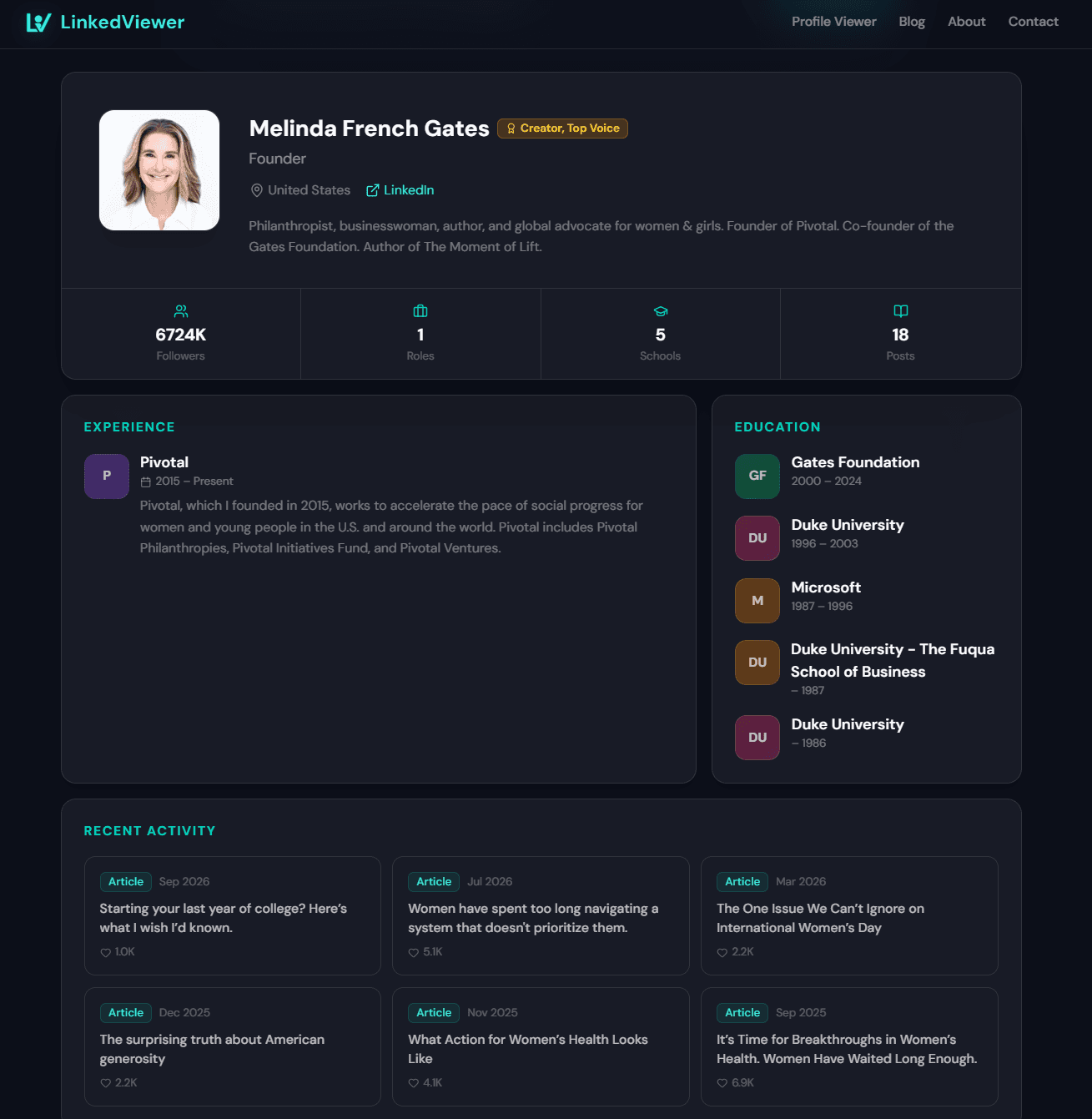
We weight profile photos heavily because they improve identity verification, and aim to show them when publicly available. No viewer has perfect coverage, including ours. For an independent option, start with SocialFetch. For minimal data-first output, try Bernardo's viewer. To assess ours, run the same public URL through LinkedViewer and compare the returned fields yourself.
How to choose safely
Use the least access possible. A public lookup needs a profile URL, not your password, authentication cookie, or control of a signed-in tab.
Verify the result. Compare name, employer, location, and photo with another public source. Counts and job changes may be stale, so a viewer is a research aid rather than an authoritative identity record.
Do not confuse errors with privacy. A known public URL can fail because of the viewer. Try the canonical linkedin.com/in/username/ form, remove query parameters, and test another reputable tool.
Leave when the site changes the task. Redirects to extensions, downloads, or unrelated subscriptions are not required for viewing public data.
What separates a useful viewer from a search-result page
The tools share a keyword, but they do not deliver the same product. A useful viewer resolves three distinct jobs: finding enough public data to identify a person, presenting it without forcing a LinkedIn session, and explaining honestly when the lookup cannot be completed. A site can succeed at one and fail at the others.
Profile photos are functional data
OutX's result made the importance of photos unusually clear. Its name, employer, location, and summary were enough to describe Sundar Pichai, but the initials-only avatar removed the fastest visual confirmation. This becomes more consequential for common names, incomplete headlines, and people who have recently changed companies. A current headshot does not prove identity, but its absence makes a viewer less effective at resolving ambiguity.
SocialFetch and Bernardo's viewer both surfaced the picture in our successful tests. ScrapeCreators can display photos when it returns a result, but its failure on the selected public profile meant the theoretical field support did not help that lookup. Our scoring therefore considers both capability and successful retrieval.
Error quality reveals product quality
Three failures produced three very different experiences. ScrapeCreators offered a readable inline explanation, although it grouped “private” and “not publicly available” together too broadly. SocialPlug exposed a technical-sounding browser dialog with no recovery path. LinkedProfileViewer.com moved the visitor away from the expected workflow entirely.
The best failure message should preserve the entered URL, explain that the tool could not retrieve public data at that moment, suggest checking the canonical URL, and make no claim about the profile's privacy that it cannot verify. It should never turn failure into pressure to install unrelated software. This matters because retrieval errors are normal in a category dependent on changing public sources.
Free should describe a usable test
“Free” can mean unlimited public lookups, a single demonstration, trial credits after signup, or merely a landing page with a free label. NinjaPear technically offered a free lookup, but its one-per-week limit prevented us from comparing multiple profiles. That may be a sensible lead-generation model for an API company; it is still a weak experience for someone who arrived expecting a repeatable free utility.
CAPTCHAs are different from paywalls. They add friction, as seen with ScrapeCreators and NinjaPear, but can protect an expensive endpoint from automated abuse. We do not automatically penalize a viewer for bot protection. We do penalize unclear quotas, mandatory accounts, or a “free” promise that cannot be meaningfully evaluated.
More fields are useful only when they are legible
Bernardo's raw JSON tab exposes breadth, while SocialFetch demonstrates the value of hierarchy. A large payload is useful to developers but can overwhelm a visitor trying to confirm a role or employer. The strongest result should put name, photo, headline, employer, and location first; place summary, experience, and education below; and treat counts, posts, and raw data as secondary detail.
That ordering also improves mobile use. A desktop-width table or unbroken JSON object may contain more information while answering the user's question less efficiently. We favored tools that converted available fields into a stable profile view over tools that merely proved data existed somewhere in the response.
Which viewer is best for each use case?
For the best independent all-around experience: use SocialFetch. It offered the strongest balance of successful retrieval, recognizable profile layout, photo support, and useful career context in our test.
For technical inspection: Bernardo's viewer is the more interesting option because its tabs and raw JSON reveal dimensions that polished profile cards may hide. Expect utility rather than refined design.
For a quick text summary: OutX can be sufficient when the person's name is unambiguous and a profile photo is not needed. Its successful text retrieval placed it above tools that returned no usable result.
For a second attempt after another viewer fails: do not assume that two services share coverage. A ScrapeCreators error may still succeed in SocialFetch, Bernardo's viewer, or LinkedViewer because the tools can use different systems and cached sources.
For repeat free research: avoid building a workflow around a one-lookup demo. A weekly quota is enough to preview a commercial service, not enough to compare candidates, prepare for several interviews, or verify multiple people with similar names.
What no public LinkedIn viewer should promise
A public viewer should not imply access to private messages, hidden contact details, private connection lists, profile-viewer identities, or information restricted to an authenticated account. None of those claims was part of our evaluation. The legitimate value proposition is narrower: organizing information already available through public sources without connecting the lookup to the visitor's LinkedIn account.
“Anonymous” also needs careful interpretation. If you never sign in or provide a LinkedIn session, the profile lookup is not performed as your LinkedIn identity. That does not mean invisible to the viewer website itself. Like other websites, a service may receive ordinary request information such as an IP address, browser details, and analytics events under its privacy policy. LinkedIn anonymity and general web privacy are separate questions.
Finally, a viewer result should not be used as proof of current employment, credentials, or identity. Public indexes can lag behind profile edits, and a data provider can return incomplete or stale fields. Confirm consequential decisions through the original profile, an employer page, or direct communication.
Final verdict
SocialFetch is the best independent LinkedIn profile viewer we tested in September 2026. Bernardo's viewer came second for reliable, data-rich output. ScrapeCreators and OutX worked with significant caveats: inconsistent coverage for one and no profile photo for the other.
SocialPlug failed in our session, NinjaPear's quota blocked meaningful evaluation, and LinkedProfileViewer.com's redirects made it an avoid. For our own product, the fairest recommendation is to test LinkedViewer with the same public URL and judge its coverage and presentation beside the independent leaders.
Frequently asked questions
- What is the best free LinkedIn profile viewer in 2026?
- SocialFetch was the strongest independent viewer in our September 2026 test: it returned a useful public profile with a photo in a polished interface. Bernardo's viewer was the best minimalist alternative. LinkedViewer is our own free viewer and can be tested against the same public URL.
- Can I view a LinkedIn profile without an account?
- Yes, when profile information is publicly available. Web-based viewers can present public profile information without your LinkedIn credentials. Results vary because public availability and providers change.
- Are LinkedIn profile viewers anonymous?
- A viewer that never uses your LinkedIn account cannot attach the lookup to your LinkedIn identity. Never give an unknown viewer your LinkedIn password or session cookie.
- Why do LinkedIn viewers fail on public profiles?
- Failures can come from stale data, unsupported URLs, rate limits, provider errors, or changes in public availability. One successful lookup does not prove universal coverage, and one failure does not prove a profile is private.
- Can a viewer show private LinkedIn information?
- A legitimate public-profile viewer should not promise private messages, hidden contact details, private connections, or other restricted data. We assessed public profile information only.
- Is a free LinkedIn profile viewer safe?
- Prefer viewers that need only a public URL. Avoid sites requesting passwords, cookies, downloads, or unexpected extensions. Leave if a site redirects repeatedly to unrelated pages.
Read next
How to use a LinkedIn profile viewer